Your recovery key is the only way to restore your encrypted messages if you lose access to all your devices. Without it, your message history is gone permanently — no one can recover it for you. Set this up now and save the key somewhere safe.
Open Recovery Setup
There are two ways to get here:
After signing in, you may see a Set up recovery prompt on your home screen. Tap it.
Go to Settings → Encryption → Change Recovery Key.
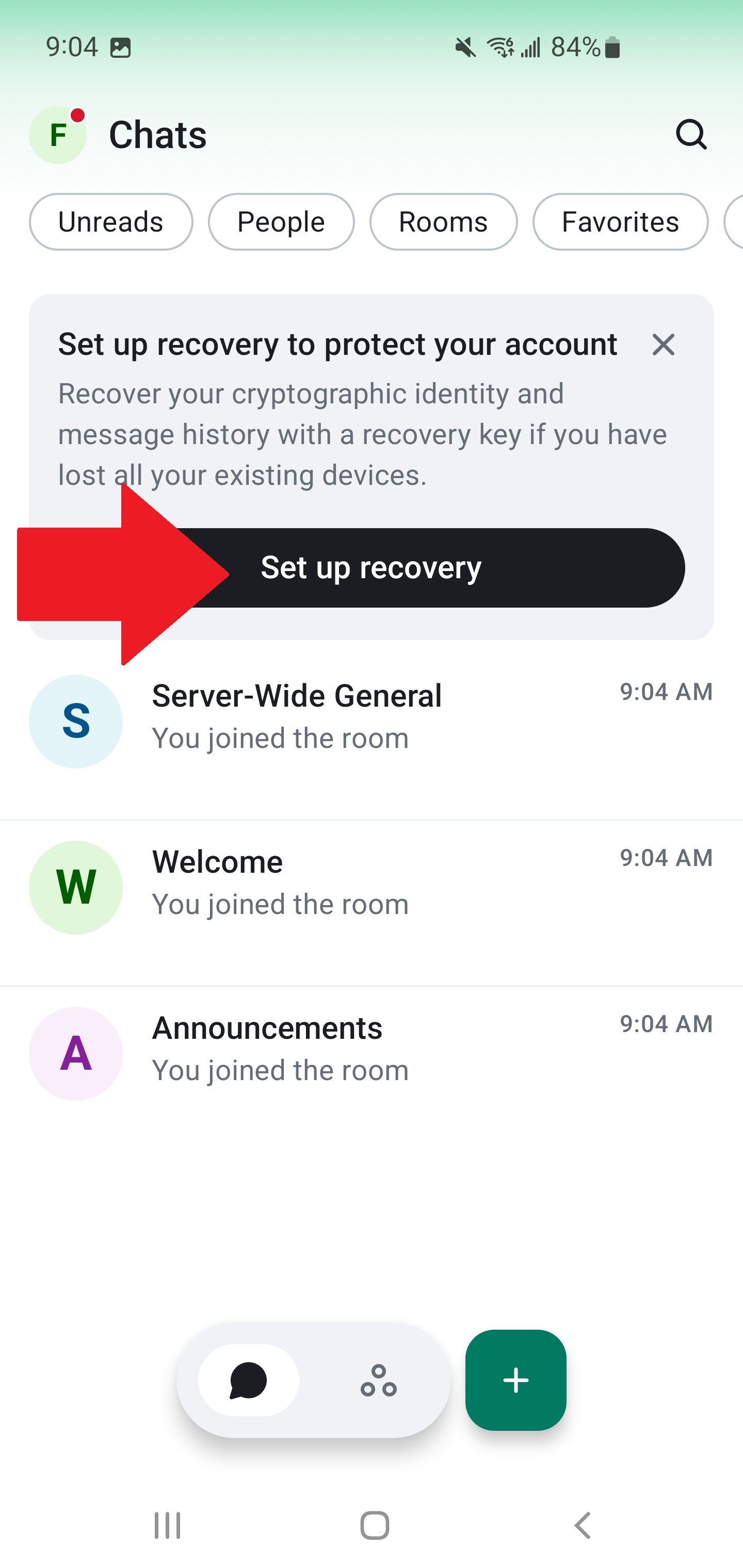
Start the Setup
Element X will explain what the recovery key does. Tap Set up recovery to continue.
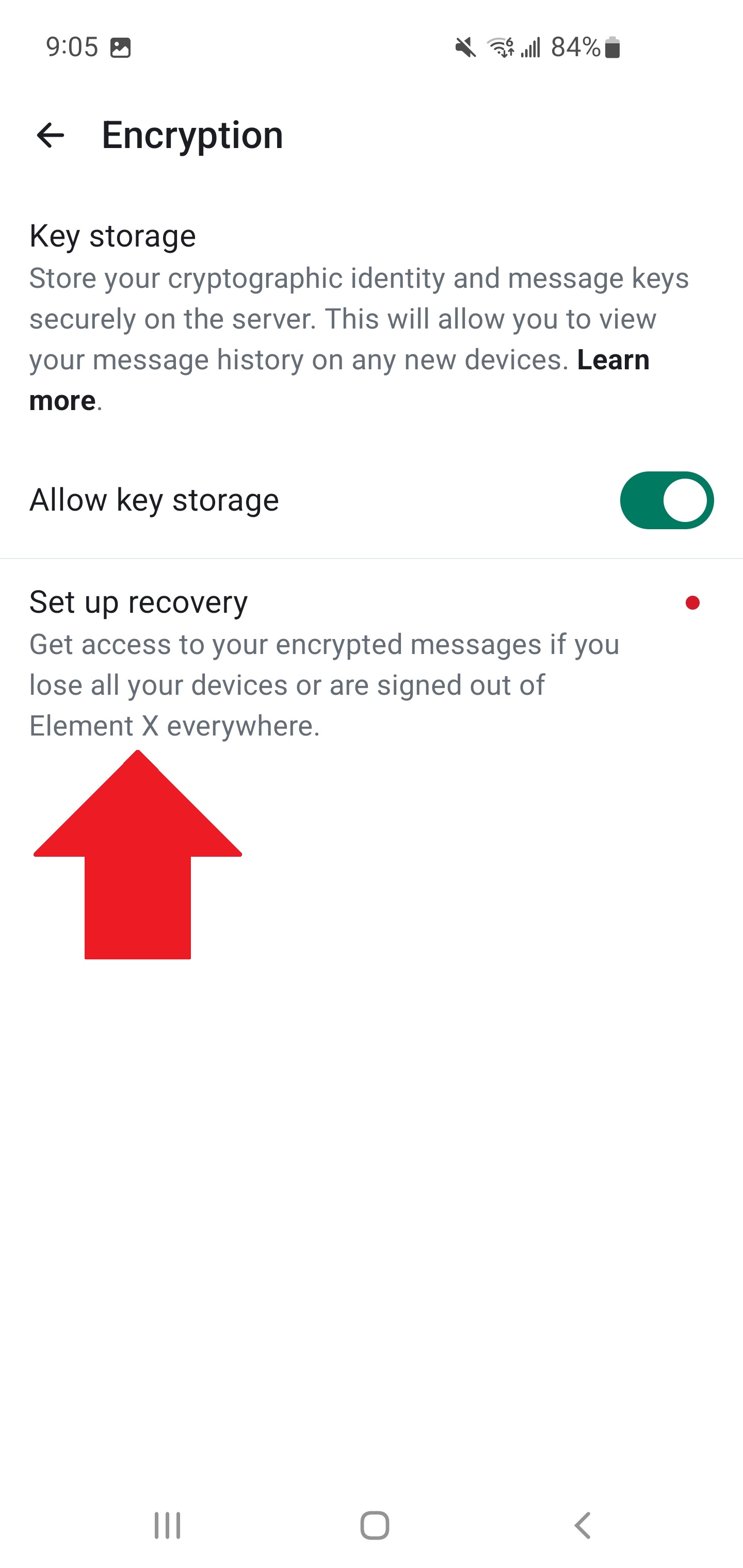
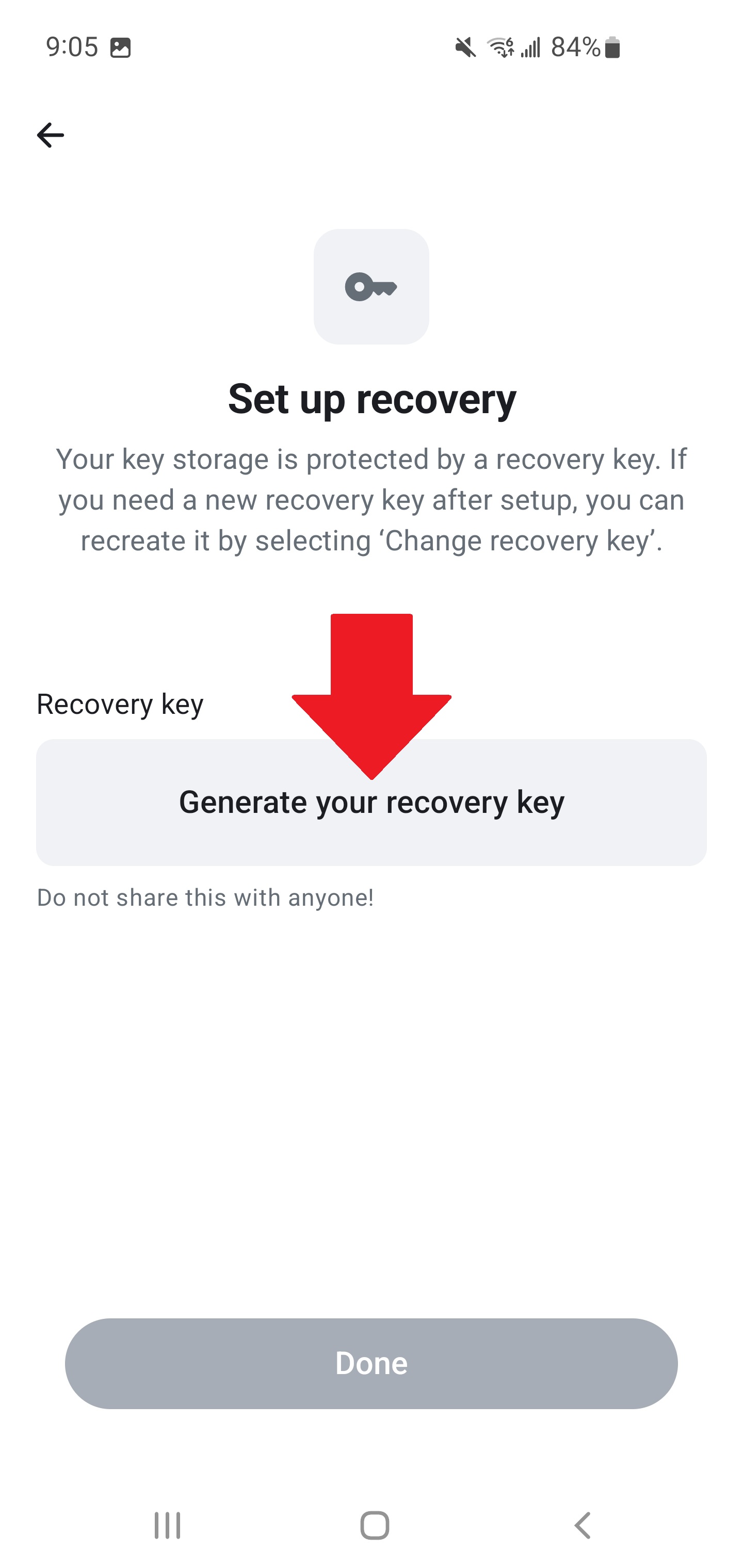
Generate Your Recovery Key
Tap Generate your recovery key. Element X will create a unique key for your account.
Save It Somewhere Safe
Your recovery key is now displayed on screen. Copy it and store it in a safe place off your device:
- Tap Copy to copy the key to your clipboard.
- Paste it into a password manager, email it to yourself, or print it out and store it somewhere physically secure.
- Once saved, tap Continue.
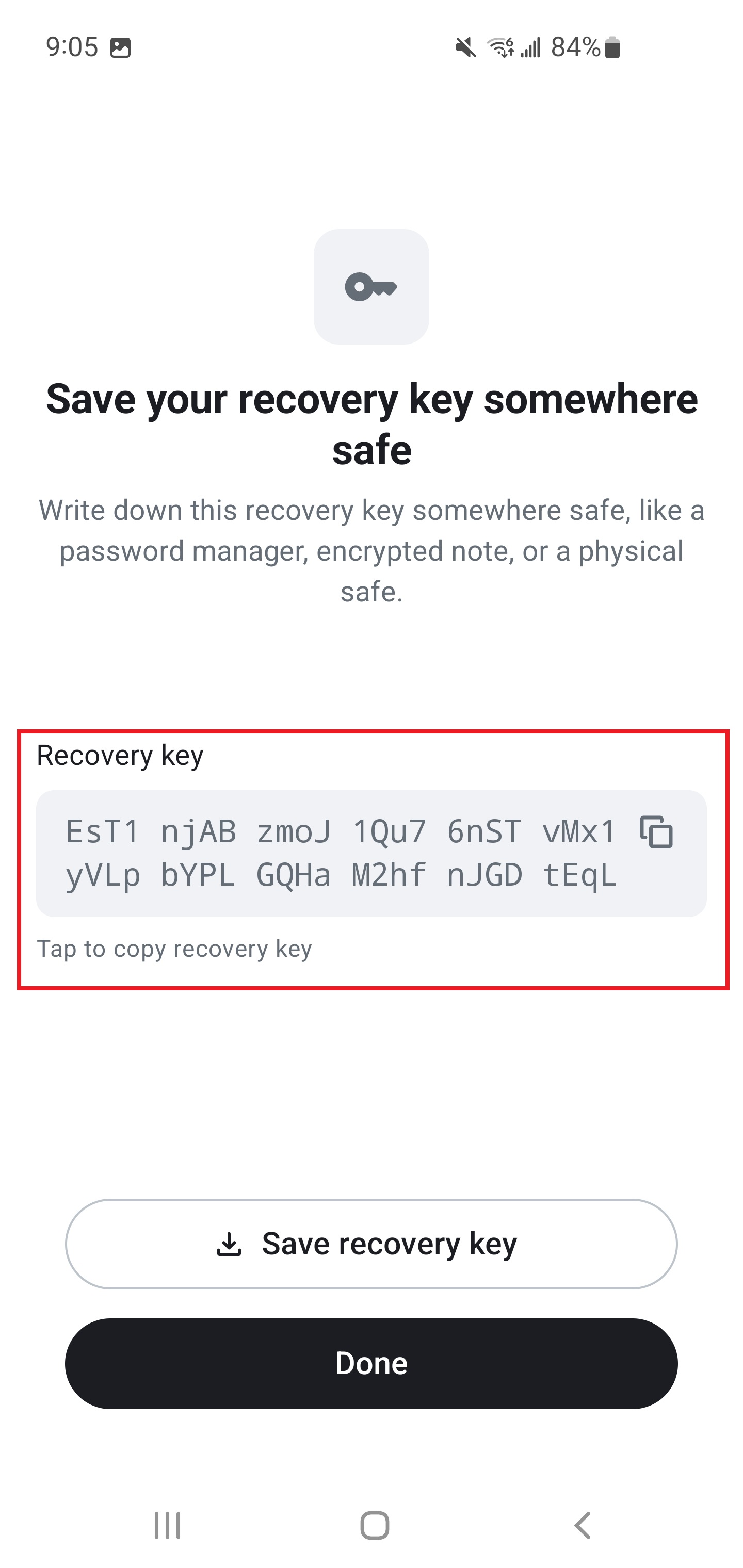
If your phone breaks, gets lost, or you sign out — this key is the only way back to your encrypted messages. No key = no messages. Save it now.
Done
Your recovery key is set up. Keep it safe — you'll need it if you ever lose access to all your devices.