Install Element X from your app store, then follow along.
Open Element X
Open the app. Tap Sign In.
Change the Homeserver
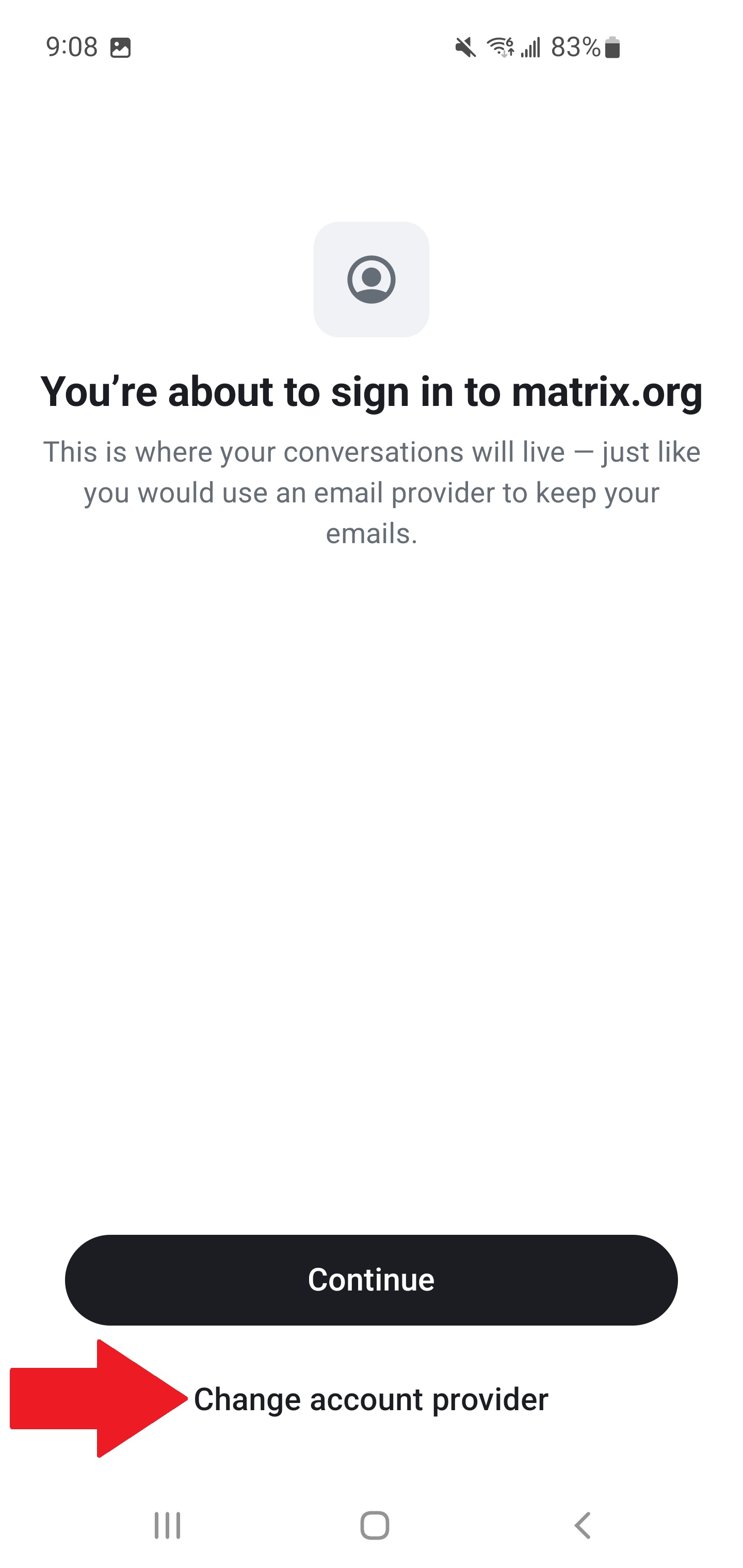
Element defaults to matrix.org — you need to change this. Tap Change Account Provider.
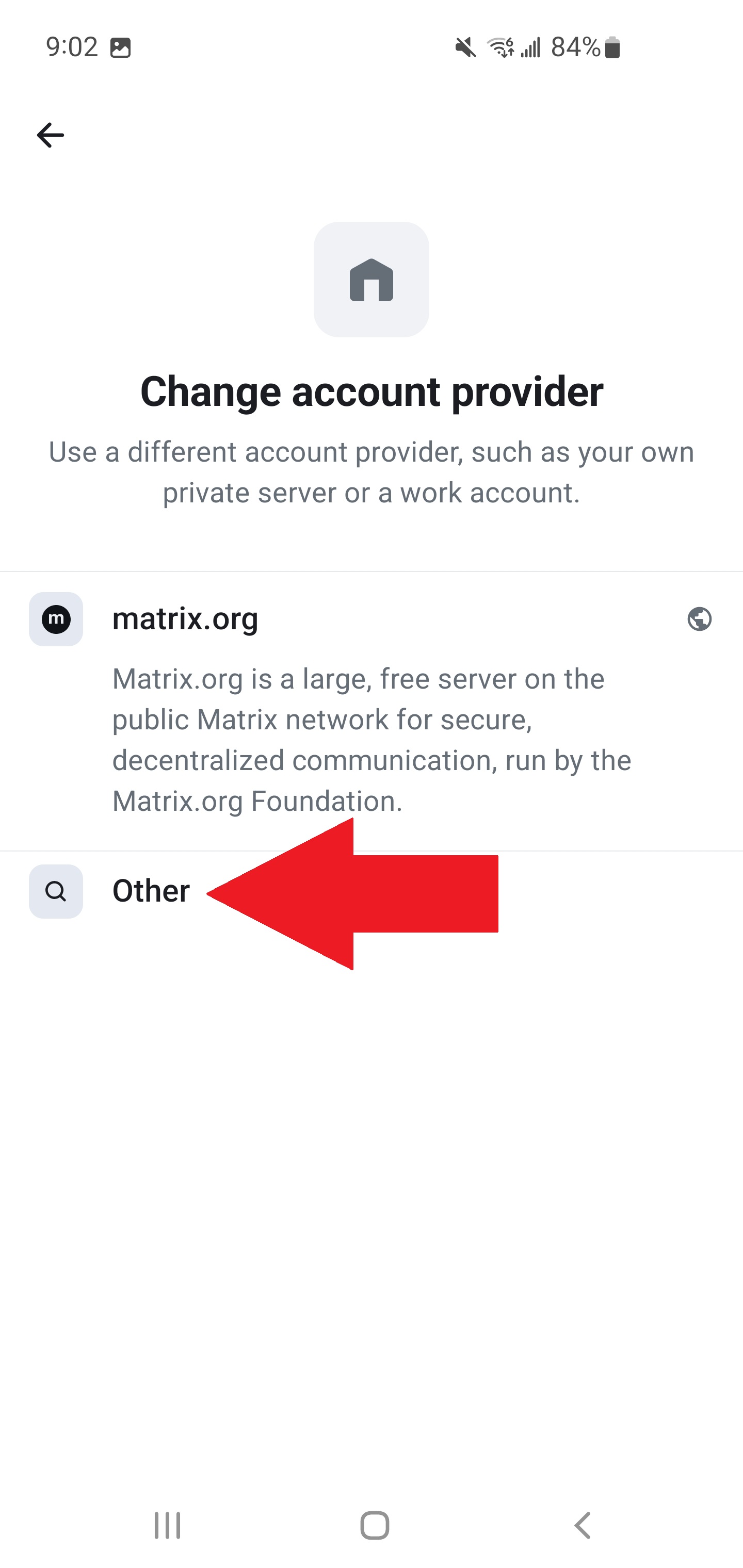
Tap Other.
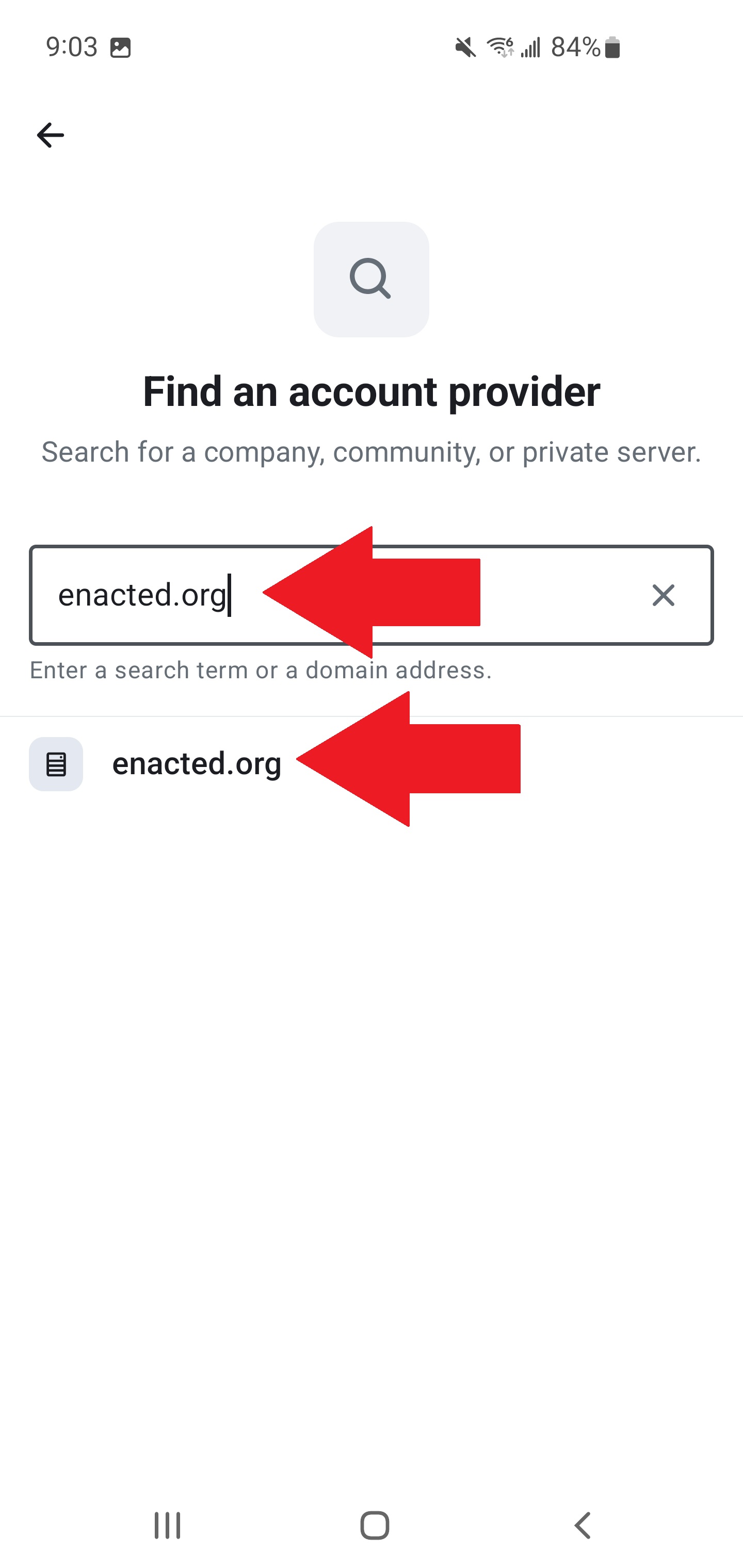
Type enacted.org, tap it when it appears, then tap Continue.
Sign In
Enter your username and password. Tap Continue, then tap Continue again to authorize Element.
Verify Your Identity
You'll be asked to confirm your identity. Pick one:
- Tap Verify with another device. Open Element on your already-verified device and accept the request.
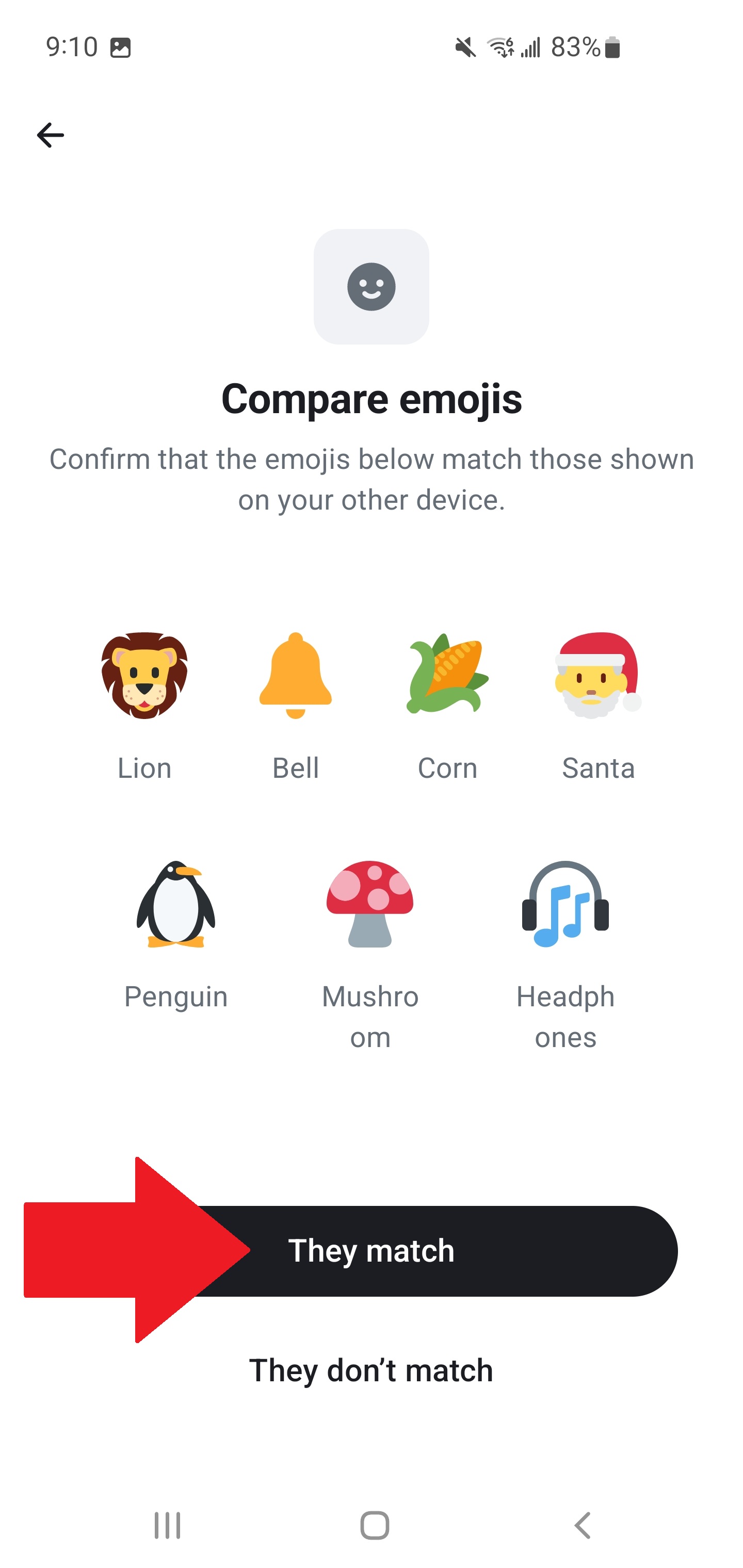
- Tap Start. Both devices will show a set of emojis — they must match exactly.
- If they match, tap They Match on both devices.
Your session is verified. You now have access to your encrypted message history.
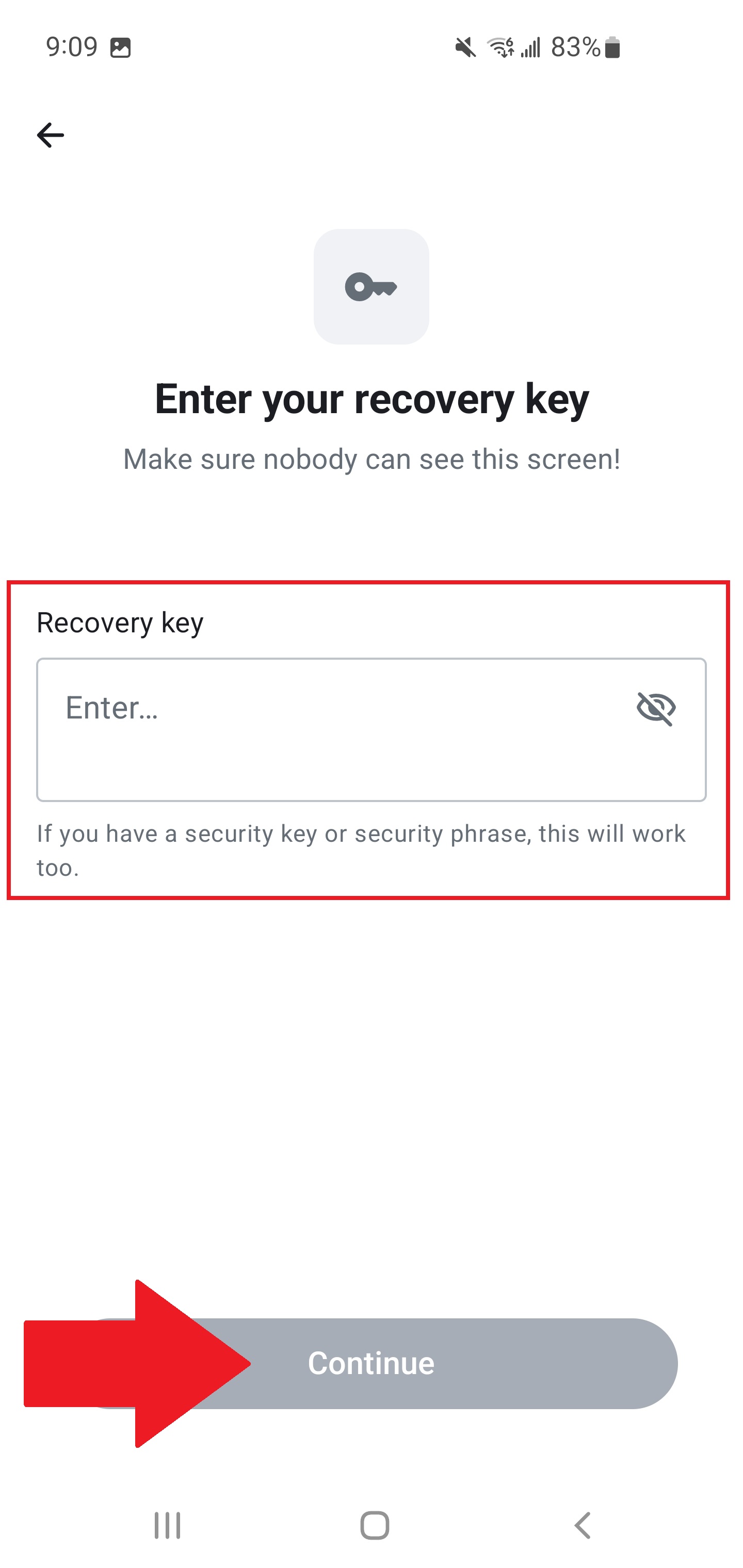
- Tap Enter recovery key.
- Paste or type your recovery key. Tap Continue.
Your session is verified and your encrypted messages are restored.
If you've lost your recovery key and have no other verified sessions, old encrypted messages cannot be recovered. You can still use your account going forward.