YOU WILL LOSE ACCESS TO ALL ENCRYPTED MESSAGE HISTORY. Only do this if you have lost access to your recovery code and ALL other signed in/verified sessions.
Sign In
Sign in to Element X with your enacted.org account as usual. If you need help with this, see the Element X sign-in guide.
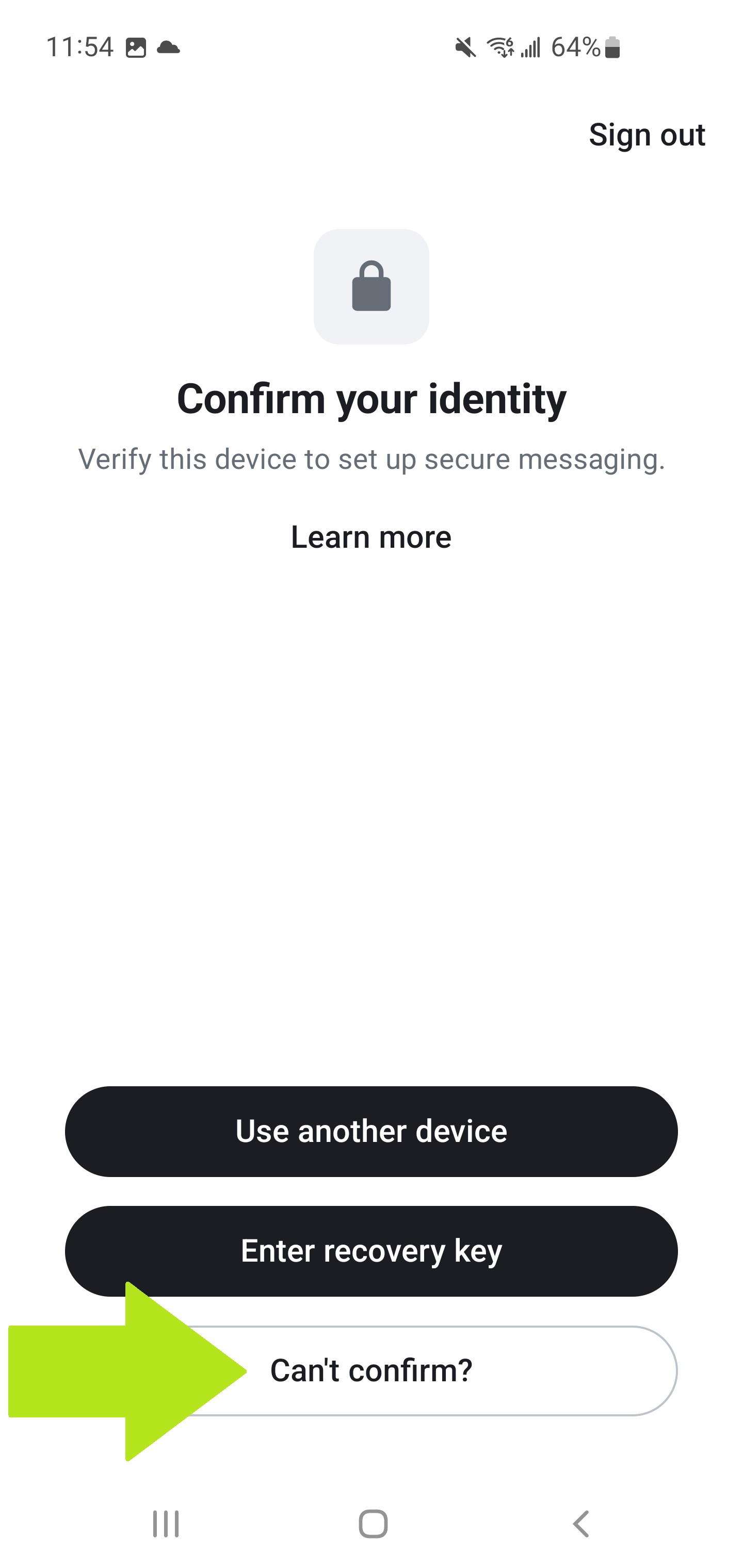
After signing in, you'll land on the "Confirm your identity" screen.
Start the Reset
- Tap Can't confirm? at the bottom of the Confirm your identity screen.
Confirm the Reset
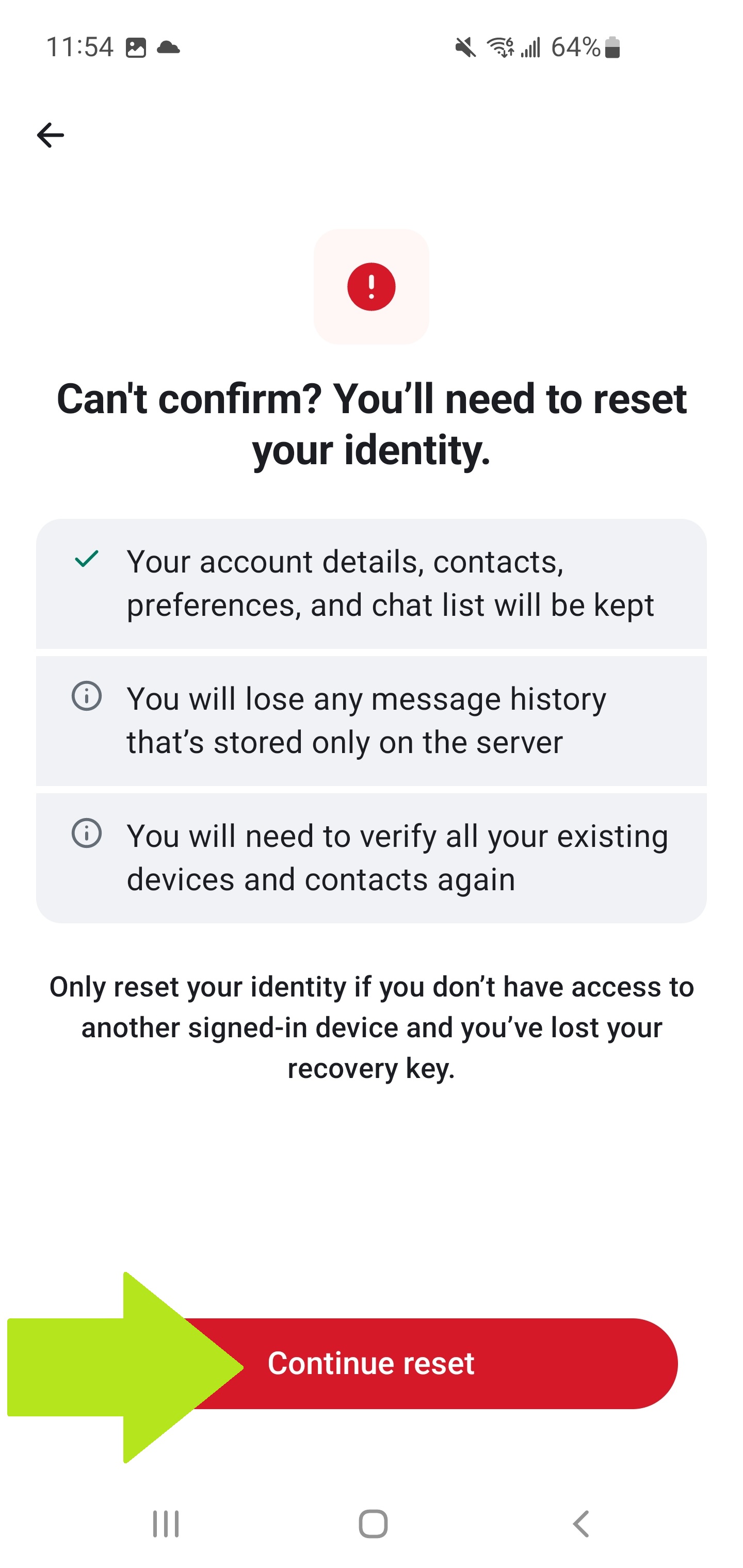
You'll see a screen explaining that you need to reset your identity.
- Tap Continue reset.
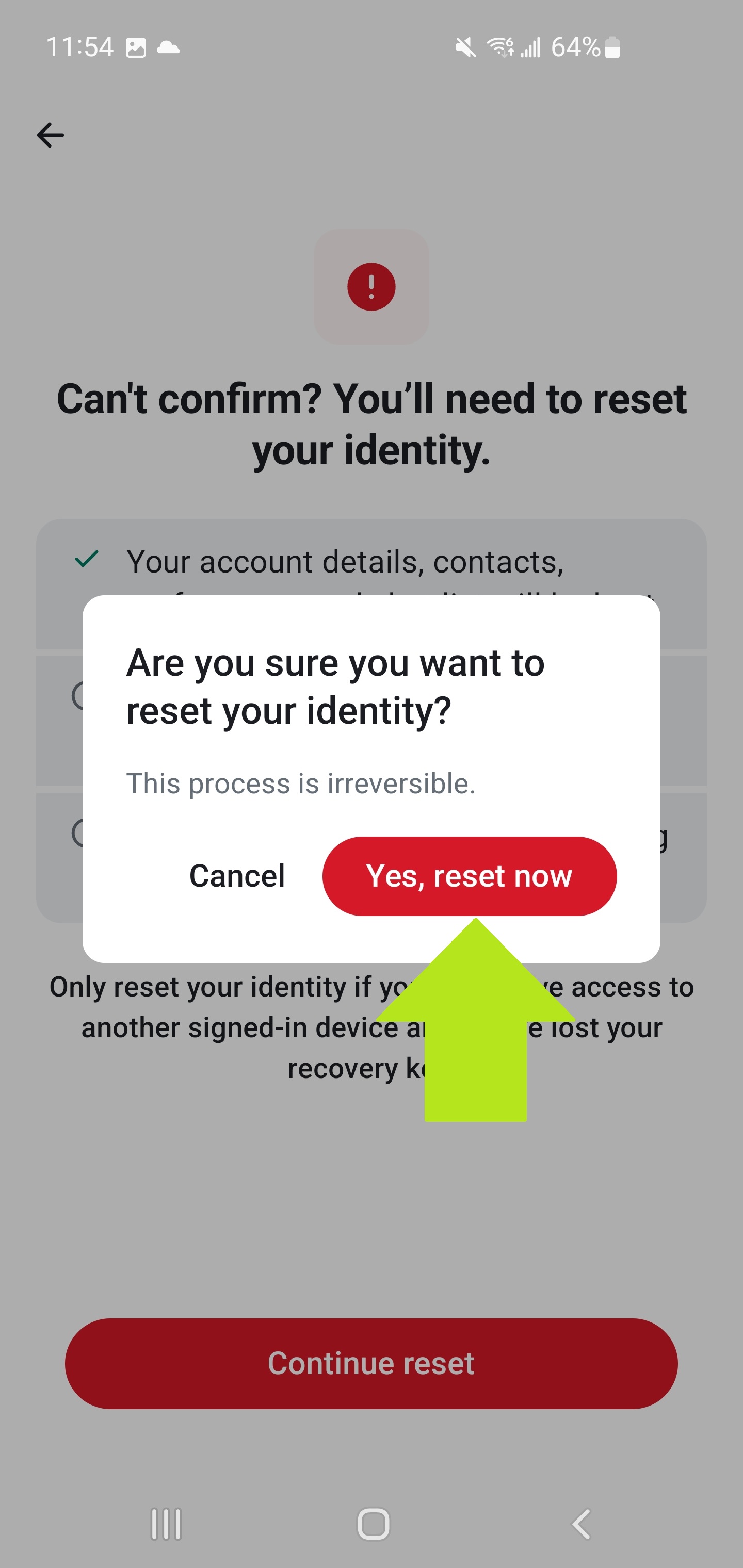
- Tap Yes, reset now to confirm.
- Tap Finish reset when the process completes.
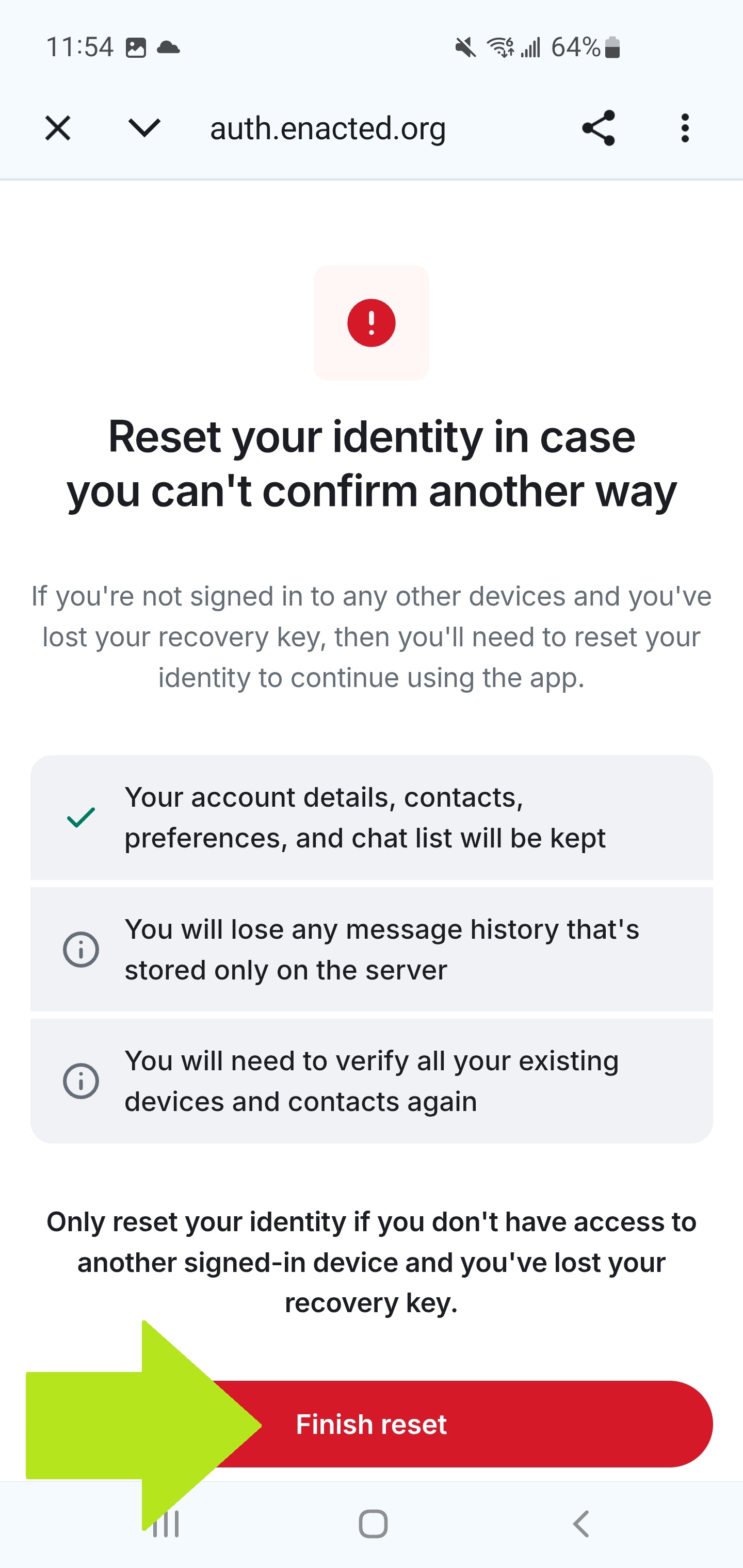
Press Back to return to the home screen.
Set Up Recovery
Your identity has been reset. You'll see a "Set up recovery" button on the home screen.
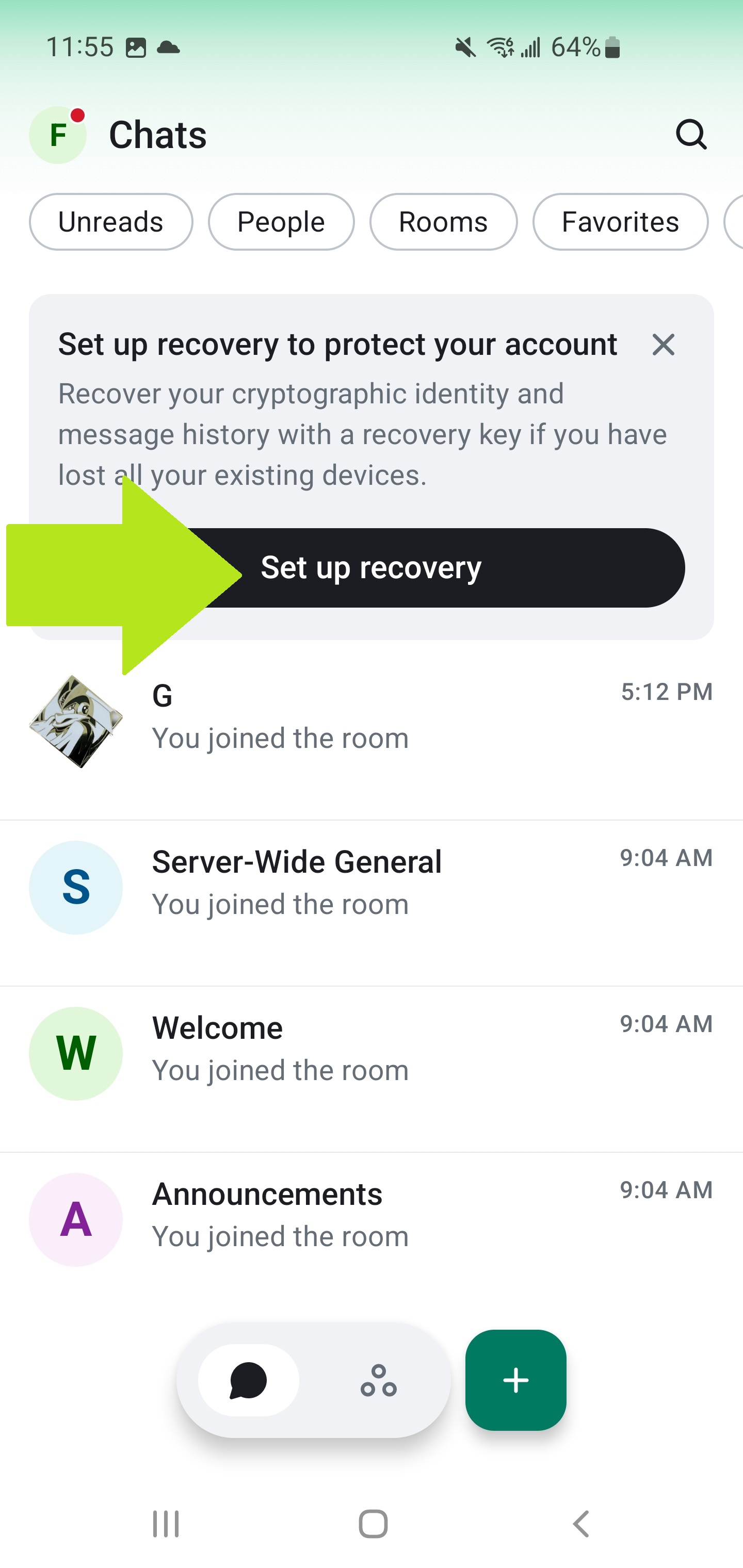
Set up your encryption key recovery immediately. Without it, you'll be locked out of your encrypted messages again if you ever lose this device. Save your key somewhere safe.