Install Element X from your app store, then follow along.
Create Account
Open Element X and tap Create Account.
Switch to enacted.org
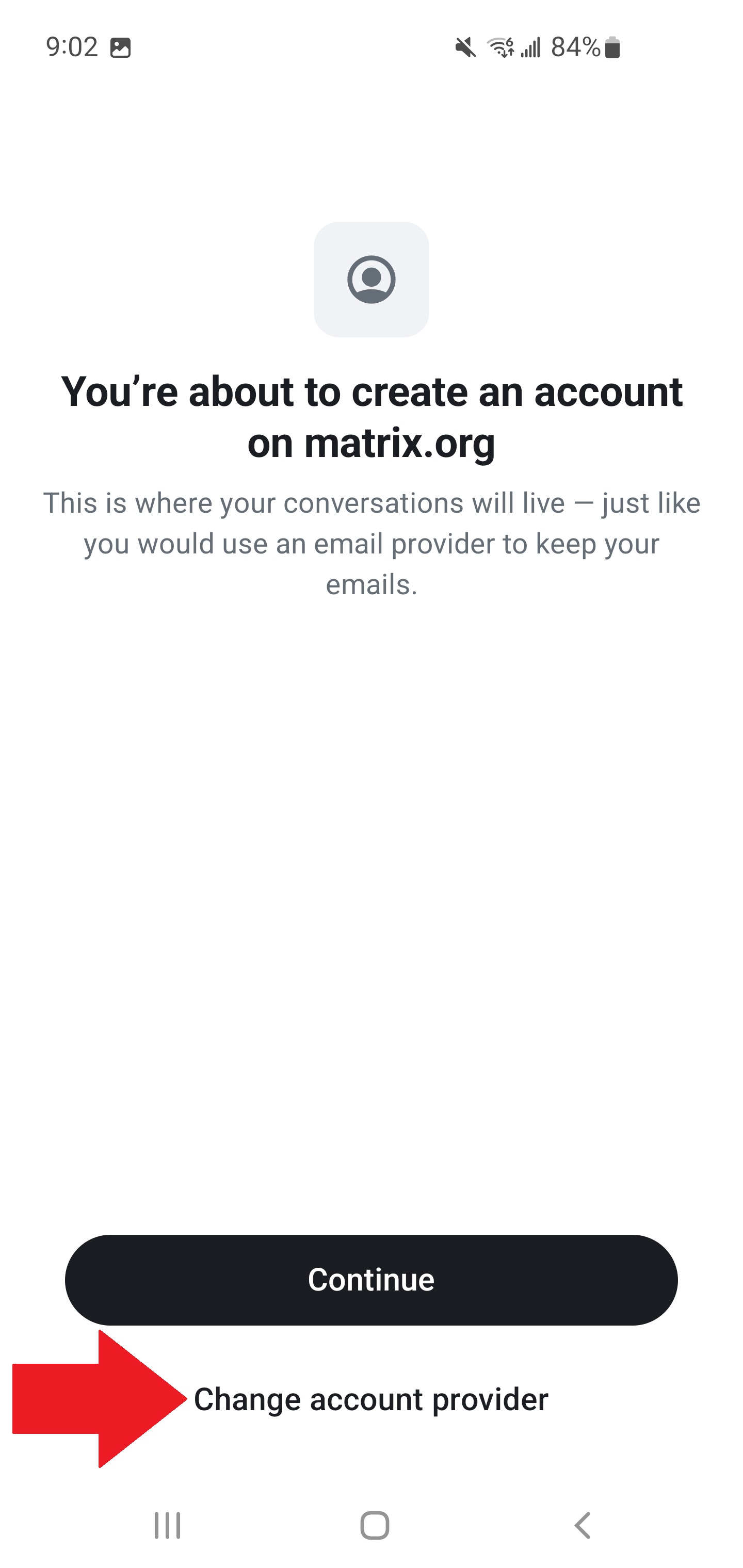
Element defaults to matrix.org — you need to change this. Tap Change Account Provider.
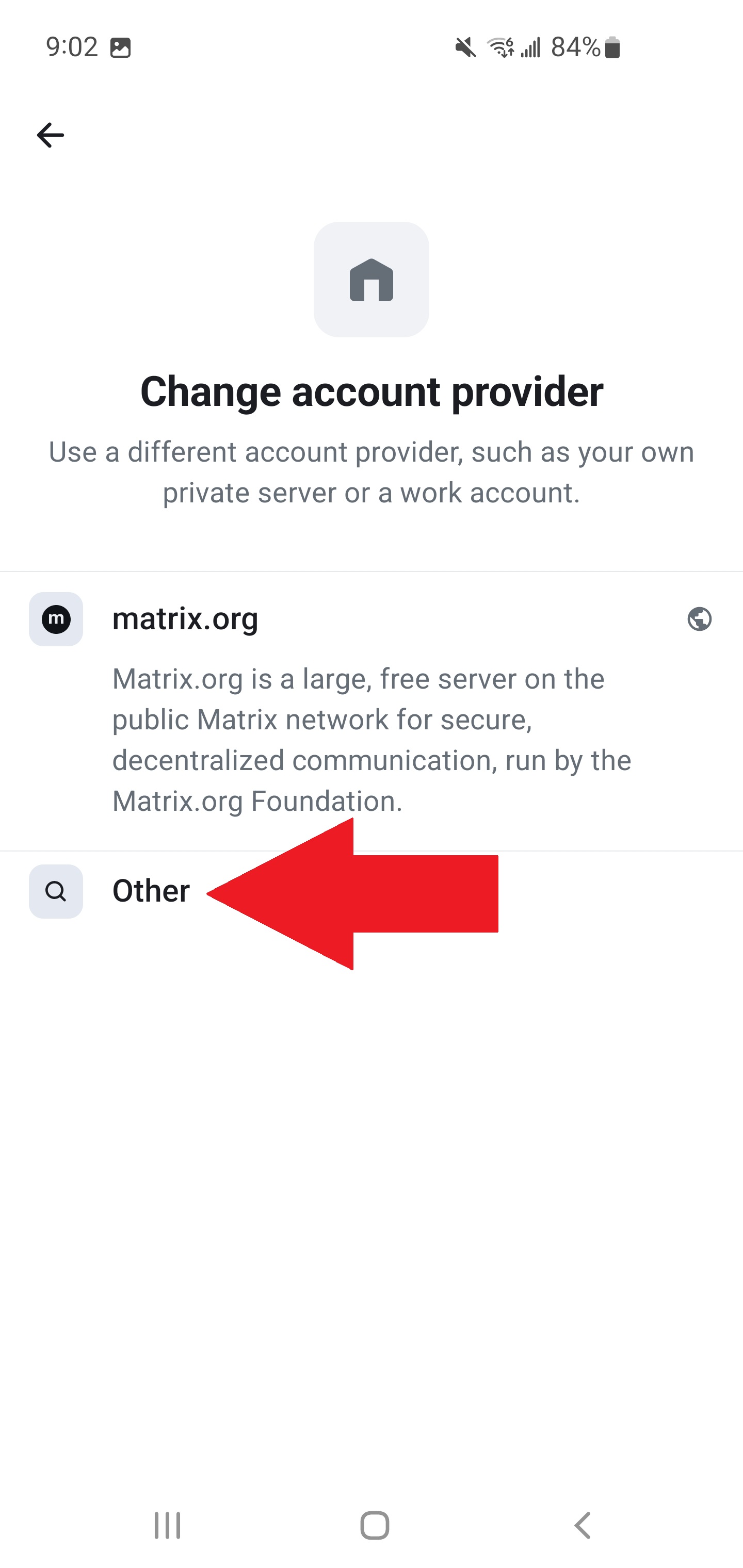
Tap Other.
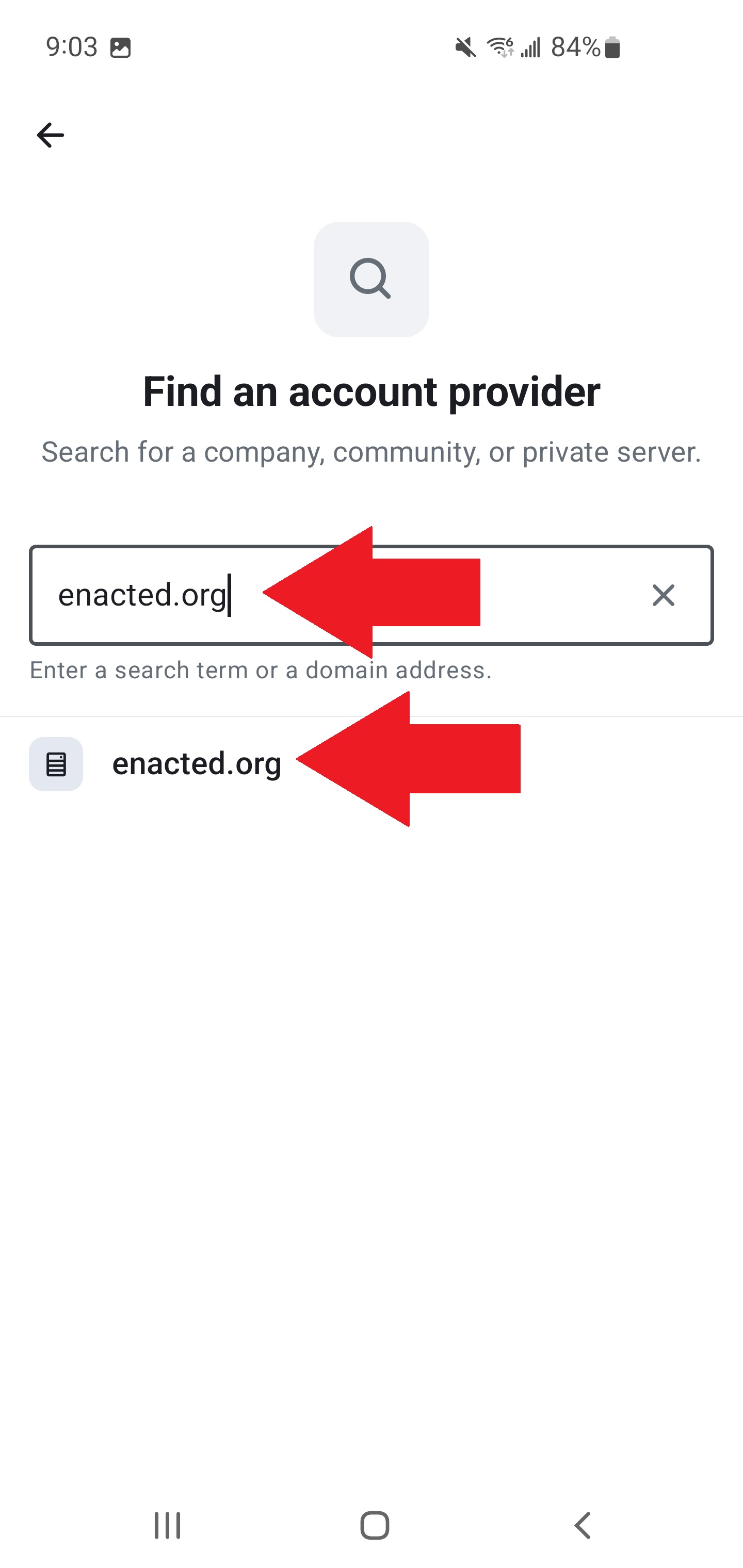
Type enacted.org, tap it when it appears, then tap Continue.
Finish Registration
From here, create your account, verify your email, and pick a display name. Element will walk you through it.
Set Up Your Recovery Key
Your recovery key is the only way to restore your encrypted messages if you lose access to all your devices. Without it, your message history is gone permanently.
From the Element X home screen, tap Set up Recovery.
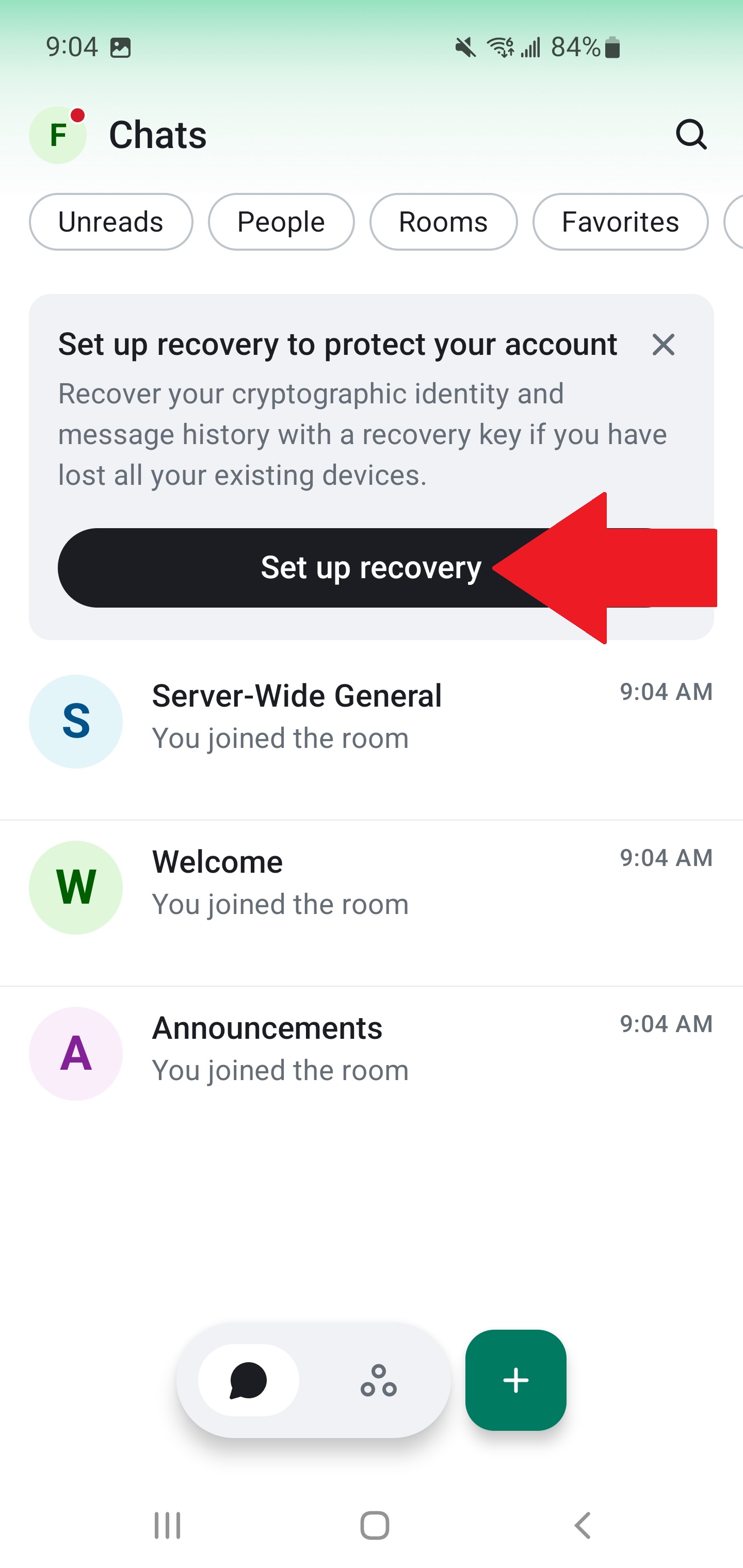
Tap Set up Recovery again on the encryption page.
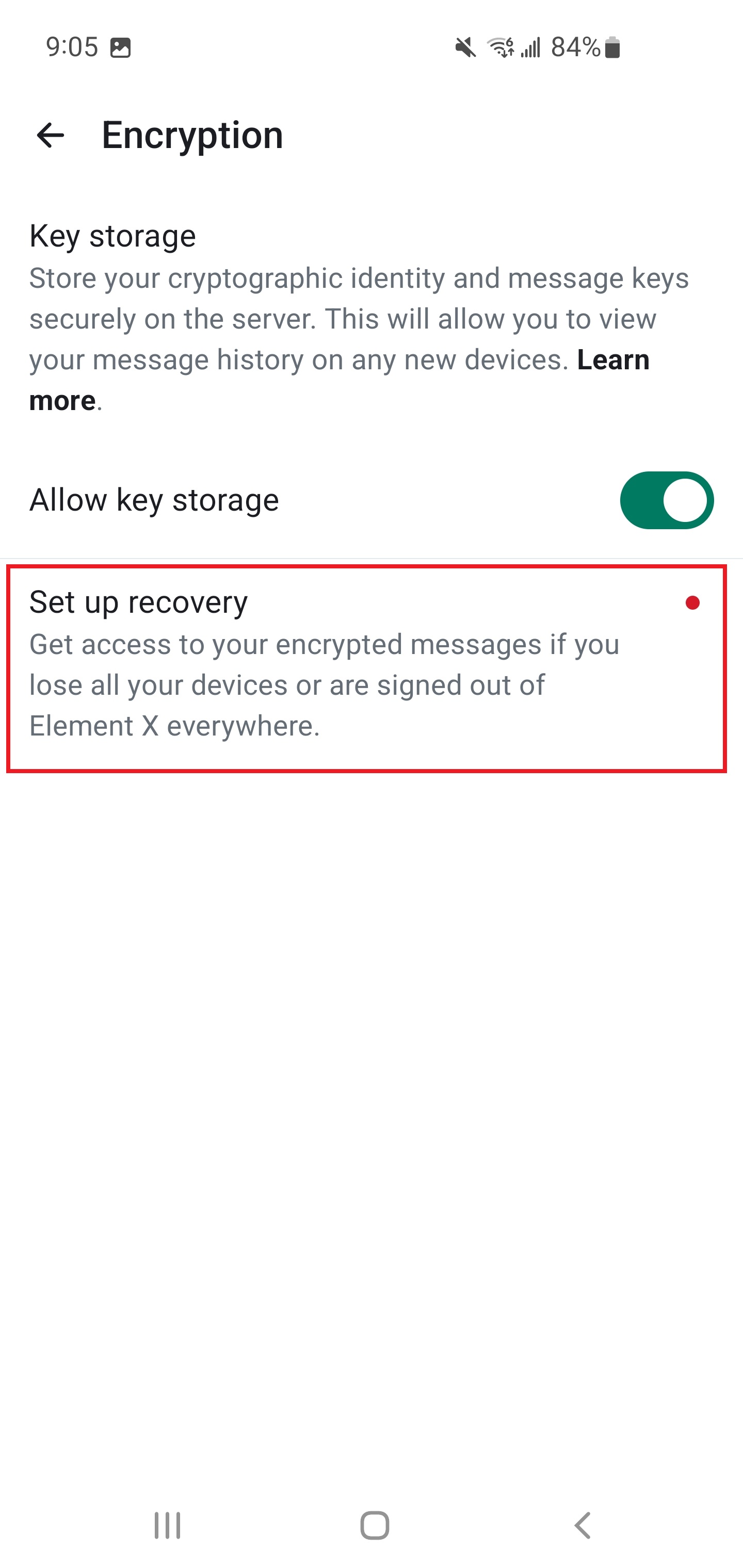
Tap Generate your recovery key. Copy the key and save it somewhere safe — a password manager, an email to yourself, or a physical printout.
Done
You're in. Don't forget to have someone invite you to the group chat.